Android · SSH · Docker
Your VPS in your pocket.
Live metrics, Docker containers, logs, a terminal and files for your Linux servers. Rack talks plain SSH — there is nothing to install on the server.
7-day full trial · then free forever, or unlock Pro once
A panel, not just a terminal
Everything you check when something is off
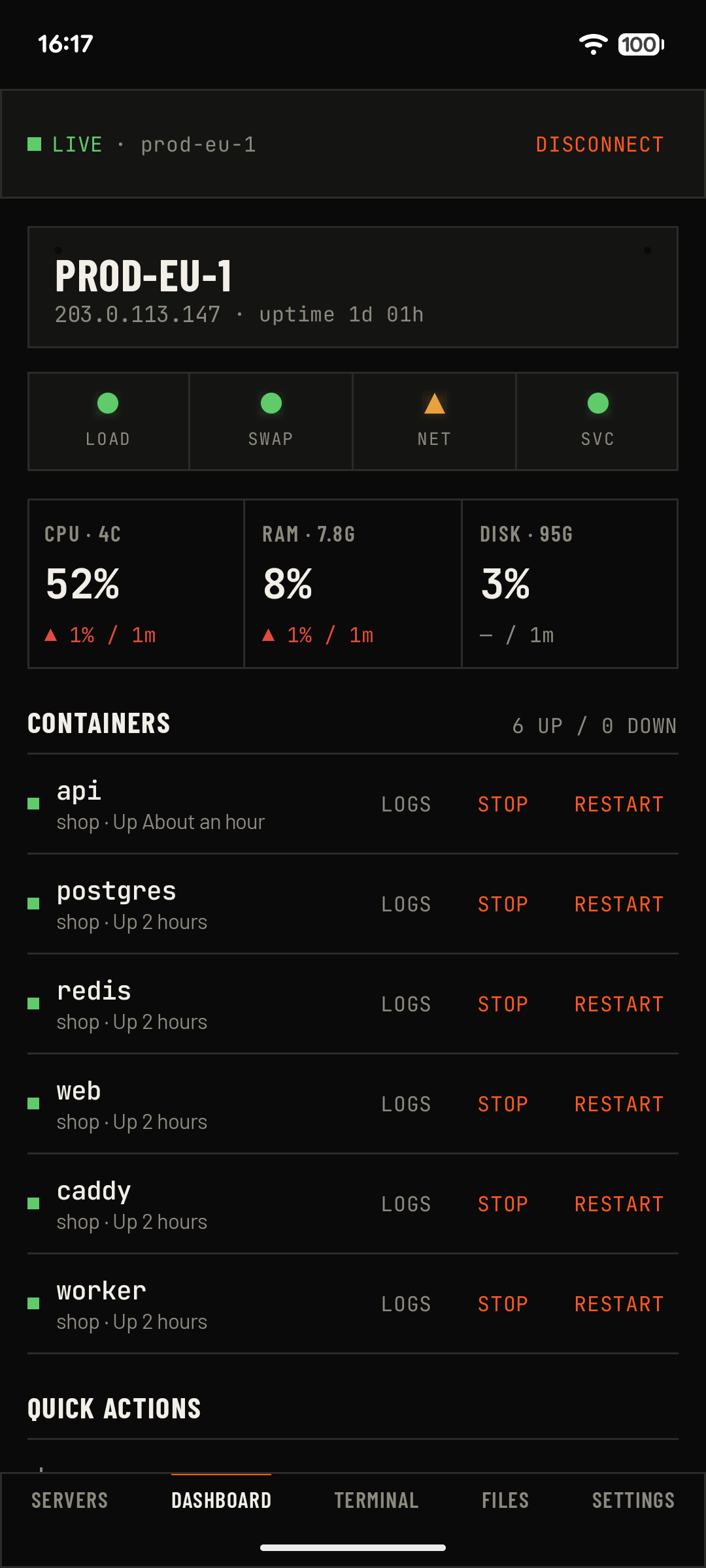
Live dashboard
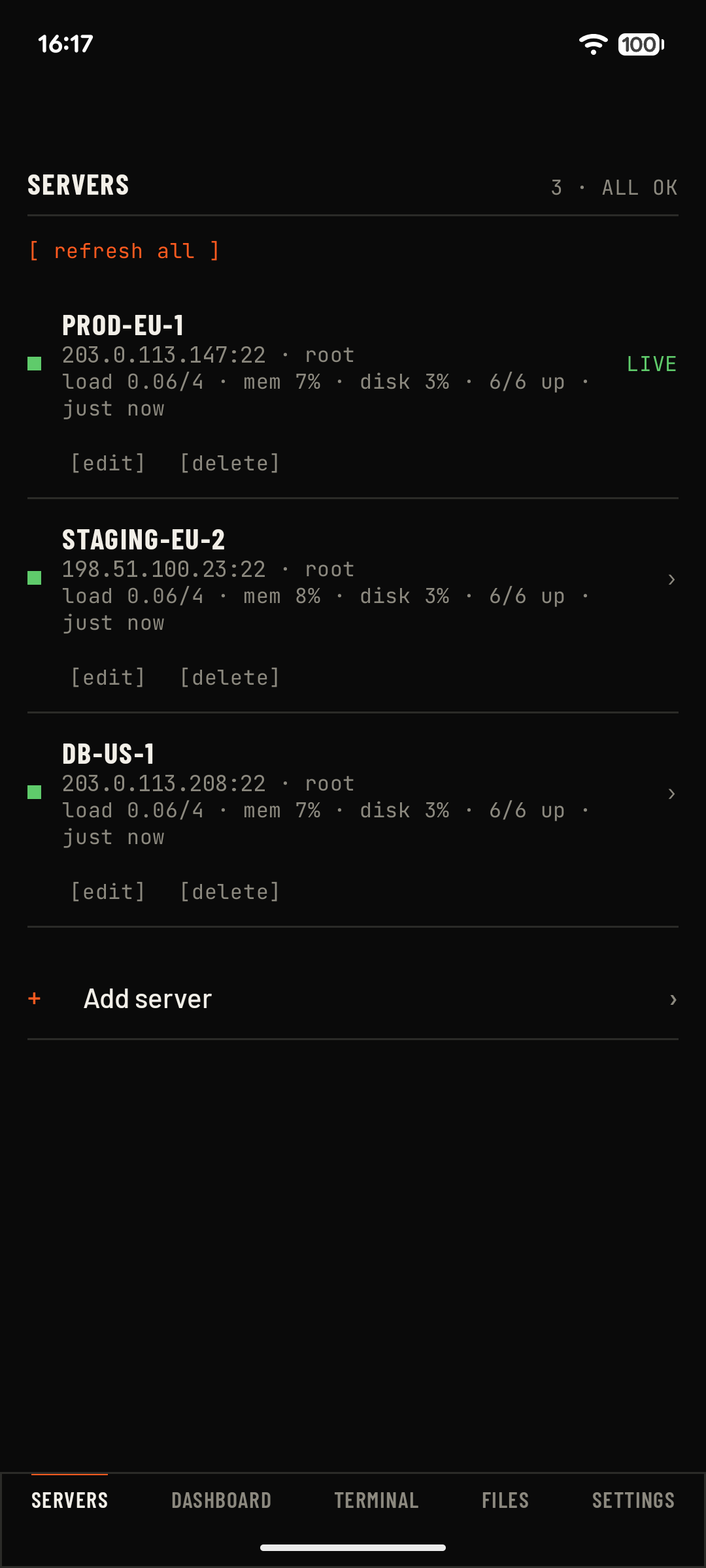
CPU, RAM, disk, load, swap and network latency, refreshed while you watch. Thresholds turn amber and red before you have to read numbers.
Docker containers
Start, stop and restart. Crash loops and failing health checks are flagged and sorted to the top, with restart counts and Compose project names.
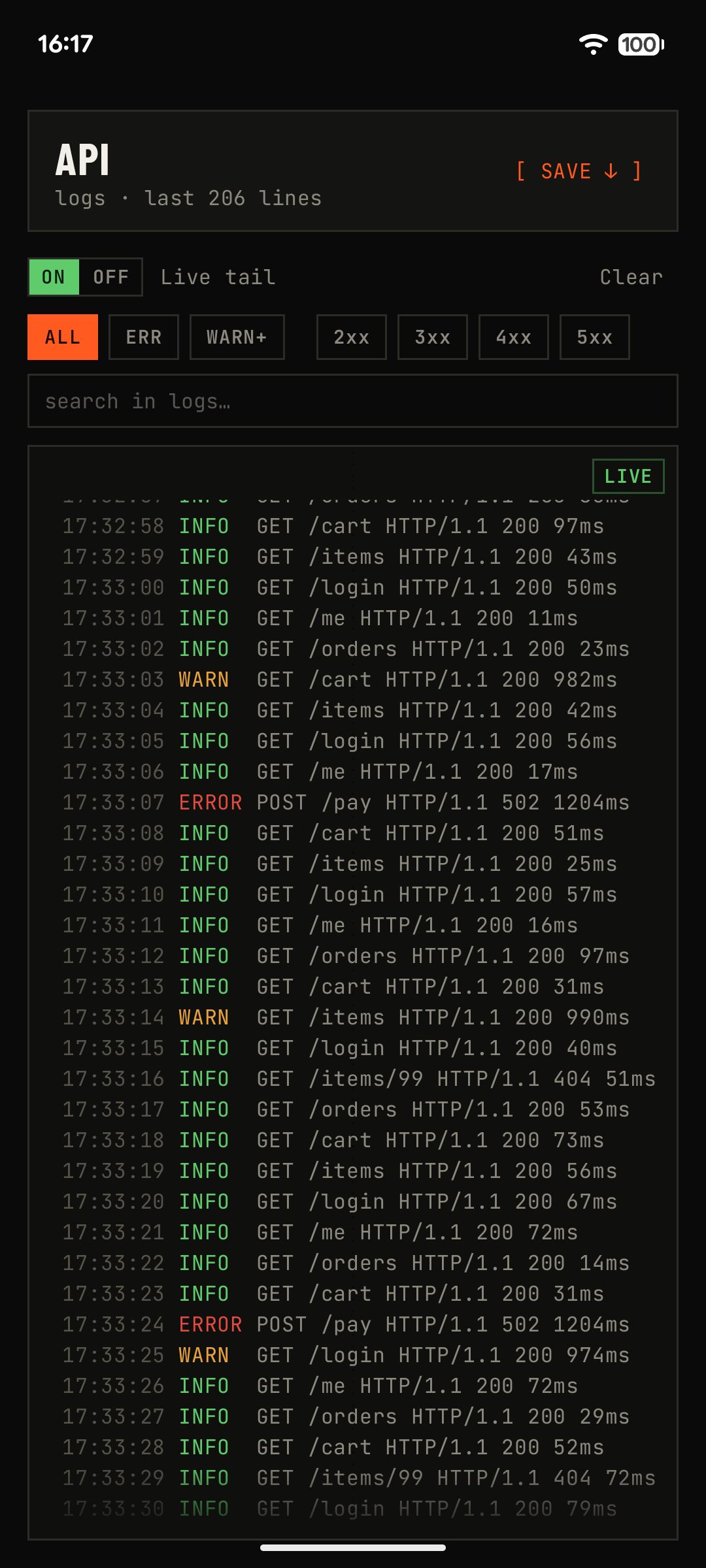
Logs that help
Live tail including stderr, ERROR and WARN filters, HTTP status filters, search, local time stamps, and export of the last hour, day or week.
Terminal
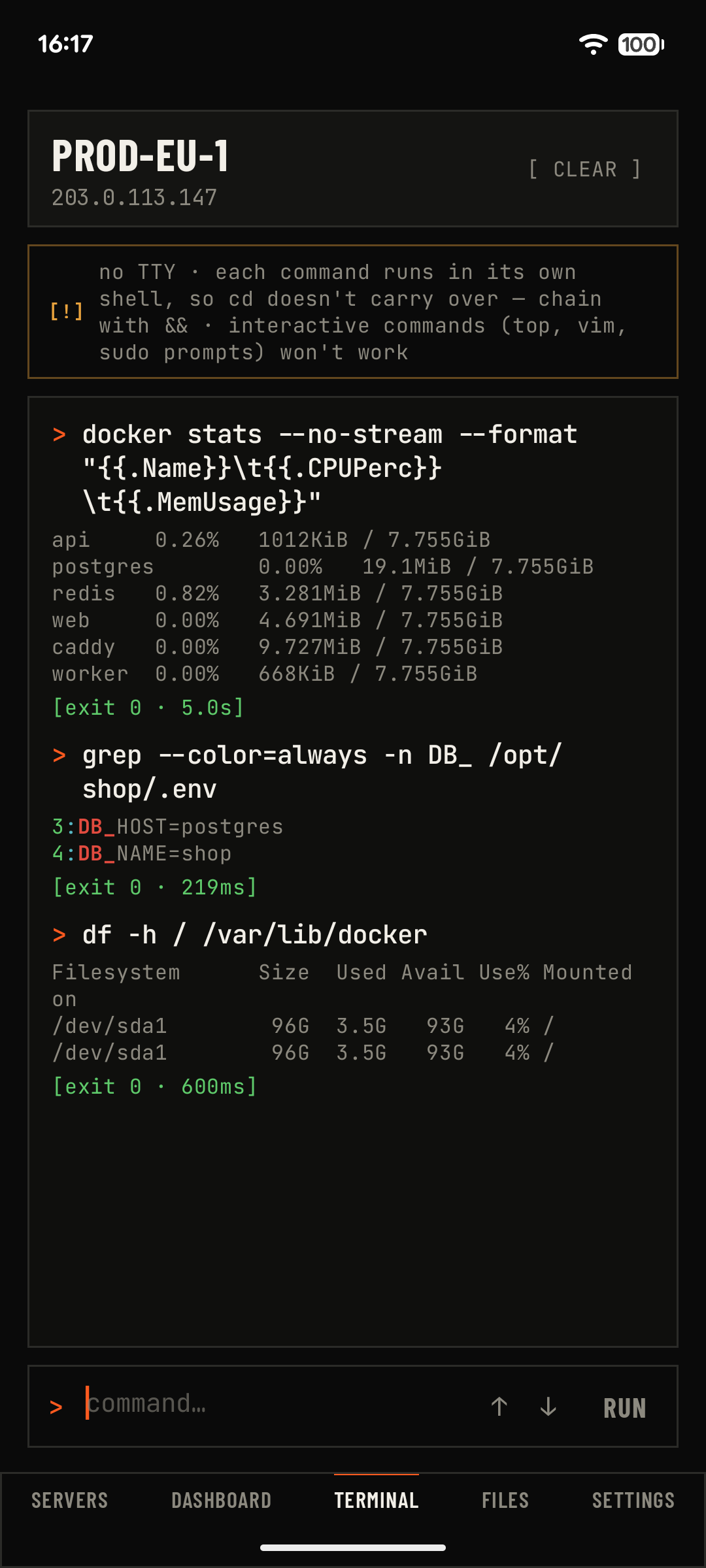
Run commands with live output, ANSI colors, history and a stop button. Long jobs like updates keep running when you switch tabs.
Files over SFTP
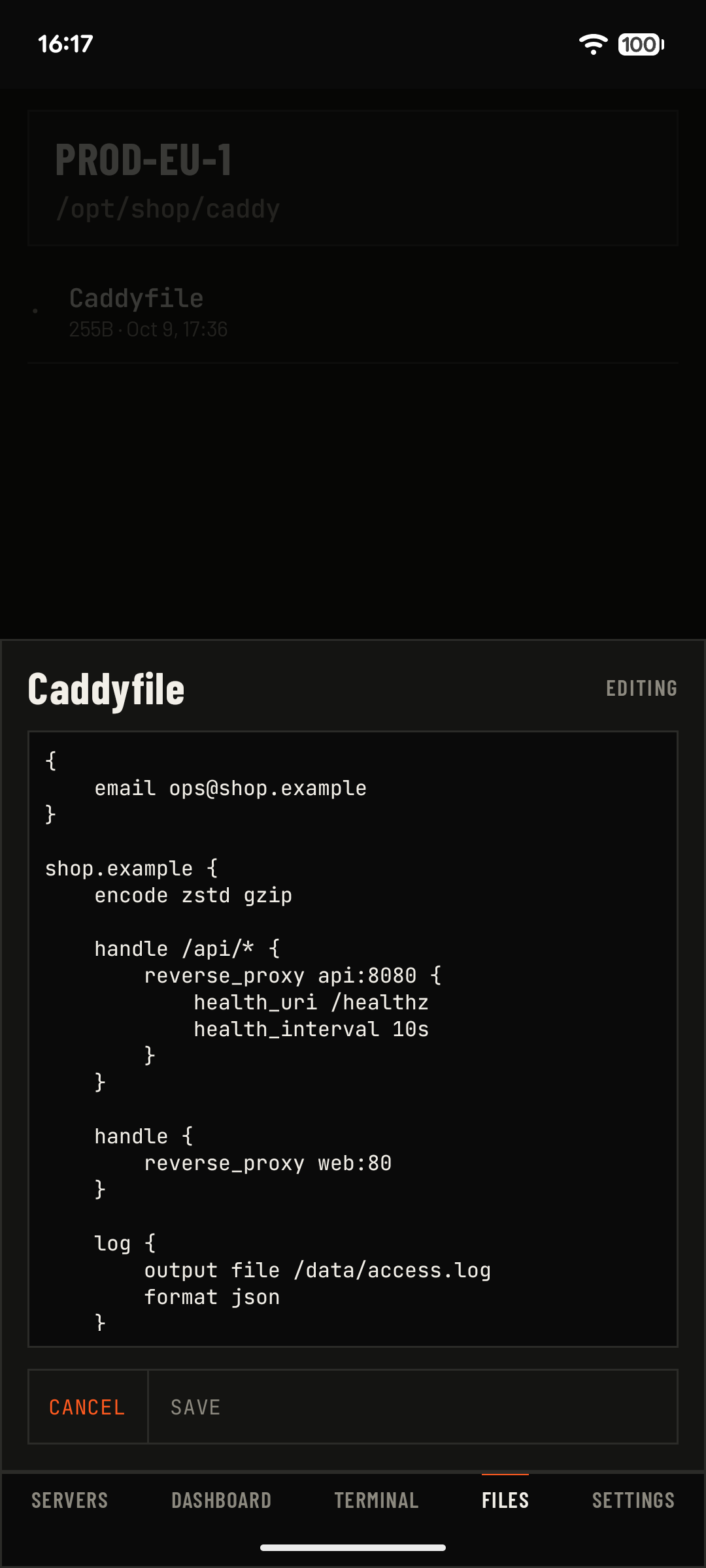
Browse, download and upload with progress, jump to any path, and edit small text files like .env or nginx.conf right on the server.
Background alerts
Get notified when a server is unreachable, a container stops, crash-loops or turns unhealthy, the disk fills up or load spikes. Tap to open its logs.
Quick actions
Save the commands you run all the time and launch them with one tap. Ready-made templates for Docker hosts, system health, Nginx, Caddy and PostgreSQL.
Secure by design
Host keys are pinned and checked before your password is sent. Credentials are encrypted with the Android Keystore. Optional biometric lock and encrypted backups.
Agentless by design
Rack runs a few standard read-only commands over your existing SSH connection — /proc, df, docker ps — and draws the result. No daemon, no open ports, no third-party cloud between your phone and your server.
Free, or Pro once
- 2 servers
- Dashboard and live metrics
- Docker containers and logs
- Terminal
- 2 quick actions
- SSH diagnostics
- Unlimited servers and quick actions
- Files over SFTP and the editor
- Command templates
- Background alerts
- Encrypted backup and restore
- Biometric lock
Every feature is unlocked for the first 7 days. Price is shown in your local currency on Google Play.
FAQ
Do I need to install anything on my server?
No. Rack connects over SSH like any terminal app and reads standard system files and command output. If Docker is installed, it also uses the docker command.
Which servers are supported?
Any Linux server you can reach over SSH: Ubuntu, Debian, Fedora, AlmaLinux, Rocky, Arch and others. Minimal systems with BusyBox work with some metrics missing. Docker is optional.
Where are my passwords and keys stored?
Only on your phone, encrypted with a key from the Android Keystore. Rack has no accounts and no servers of its own; your credentials are never sent to us.
Can I log in with an SSH key?
Yes. Use a password or a private key in OpenSSH or PEM format, with or without a passphrase.
Is it a full terminal like Termius?
Not quite. Each command runs on its own without a TTY, so interactive programs like vim or top will not work. It is built for commands, logs and quick fixes — the things you actually do from a phone.
How do alerts work?
Android lets apps check in the background about every 15 minutes. Rack checks your servers on that schedule and notifies you only when something changes, so you are not spammed.
Do I need root?
No. Rack works as the user you connect with. Container controls need that user to be allowed to run docker.
Is there an iOS version?
Not yet. Email us if you would use one — it helps us decide.
How do I move to a new phone?
Export an encrypted backup in Settings, protected by a passphrase you choose, and import it on the new phone.
What if I want a refund?
Purchases are handled by Google Play and follow its refund policy. You can also email us.
Privacy in one paragraph
Rack has no accounts, no analytics and no ads. Your servers and credentials stay on your phone, encrypted. Connections go straight from your phone to your servers.
Read the full privacy policy →